-
Products
- Solutions
- Pricing
- Free Trial
- Resources
-
Insights
- Blog
-
SAP Data Models
>
- SAP FI/CO Table Relationships - Interactive Data Model Diagram
- SAP SD Table Relationships - Interactive Data Model Diagram
- SAP Inventory Management Table Relationships - Interactive Data Model Diagram
- SAP Purchasing Table Relationships - Interactive Data Model Diagram
- SAP PP Table Relationships - Interactive Data Model Diagram
- SAP QM Table Relationships - Interactive Data Model Diagram
- SAP PM Table Relationships - Interactive Data Model Diagram
- SAP WM Table Relationships - Interactive Data Model Diagram
- SAP HCM Table Relationships - Interactive Data Model Diagram
- SAP PS Table Relationships - Interactive Data Model Diagram
- Demos & Recordings >
- Webinars
- Events
- Contact Us
|
In this blog we identify the most important SAP Sales and Distribution (SD) tables for users of:
These tables cover the full order-to-cash cycle, from sales orders through delivery and billing, along with the customer master data and configuration tables you will need to build complete SD reporting and analytics workflows. SAP Sales and Distribution tables are found in the following SAP systems:
SAP Sales and Distribution (SD) Transaction TablesSales Document TablesSAP Sales Documents include:
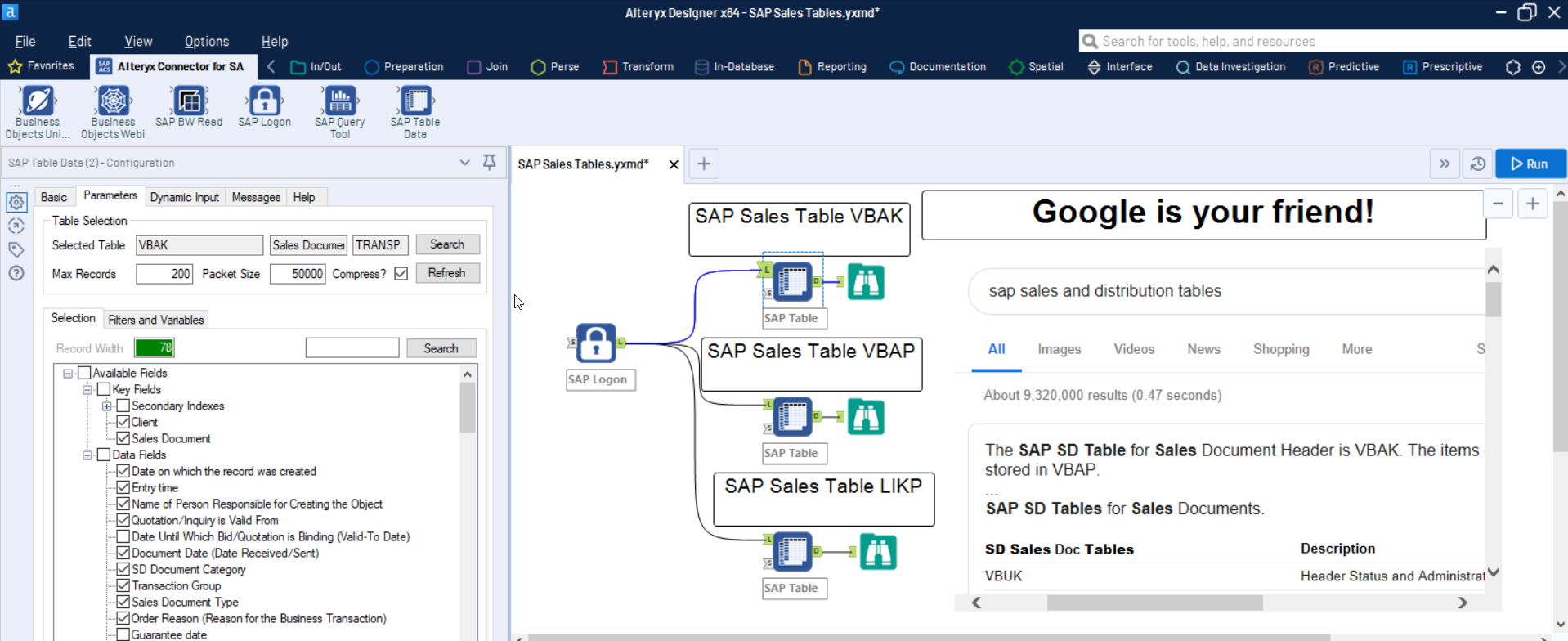
The key Sales Document tables are: VBAK - Sales Document: Header Data. Contains one row per sales document with fields such as document number (VBELN), document type, sales organisation, order date and sold-to party. This is your starting point for any sales order analysis. VBAP - Sales Document: Item Data. Contains one row per line item within each sales document. Key fields include document number (VBELN), item number (POSNR), material number, quantity and net value. Join to VBAK on VBELN to build a complete sales order dataset. VBEP - Sales Document: Schedule Line Data. Contains confirmed delivery dates and quantities for each line item. Join to VBAP on VBELN and POSNR. Essential for delivery date analysis and order fulfilment tracking. VBKD - Sales Document: Business Data. Contains commercial details at item level such as payment terms, incoterms and pricing date. Join to VBAK on VBELN for reporting on order-level commercial conditions. VBPA - Sales Document: Partner Functions. Maps the different partner roles on each sales document, including sold-to party, ship-to party, bill-to party and payer. Join to VBAK on VBELN. Important for any analysis involving multiple customer roles per order. Delivery Document TablesSAP Delivery Documents include:
The key Delivery Document tables are: LIKP - SD Document: Delivery Header Data. Contains one row per delivery document with fields such as delivery number (VBELN), shipping point, delivery date and goods issue date. Use this as the header for all delivery reporting. LIPS - SD Document: Delivery Item Data. Contains one row per delivery line item with material number, delivery quantity and batch. Join to LIKP on VBELN to build a complete delivery dataset. Billing Document TablesSAP Billing Documents include:
The key Billing Document tables are: VBRK - Billing Document: Header Data. Contains one row per billing document with fields such as billing document number (VBELN), billing type, billing date and payer. This is the starting point for revenue and invoicing analysis. VBRP - Billing Document: Item Data. Contains one row per billing line item with material number, billed quantity and net value. Join to VBRK on VBELN for complete invoice-level reporting. Document Flow TableVBFA - Sales Document Flow. This is one of the most important tables for analytics users. It links all related SD documents together, allowing you to trace the complete chain from sales order to delivery to billing document. Use VBFA to build end-to-end order-to-cash reporting by joining preceding documents (VBELV) to subsequent documents (VBELN). Pricing Conditions TableKONV (ECC) / PRCD_ELEMENTS (S/4HANA) - Pricing Conditions. Contains the individual pricing condition records for each sales, delivery and billing document. Key fields include the condition number (KNUMV), item number, condition type (KSCHL), condition value and currency. Join to VBAK or VBRK using the KNUMV field to analyse pricing, discounts, surcharges and tax by document. In SAP S/4HANA, PRCD_ELEMENTS replaces KONV as the primary pricing conditions table and includes additional fields not available in KONV. KONV may still exist as a compatibility view in S/4HANA systems. SAP Sales and Distribution (SD) Master Data TablesCustomer master data in SAP is split across several tables, each holding a different segment of the customer record. Together these tables give you a complete view of your customers for reporting and analysis. Customer Master Tables (SAP ECC)In SAP ECC, customer master data is stored in a set of KN* tables. These tables also exist in SAP S/4HANA as compatibility views, so queries against them will continue to work. However, the underlying data in S/4HANA is stored in the Business Partner tables described below. KNA1 - General Data in Customer Master. Contains client-level customer data that is not specific to any company code or sales area. Key fields include customer number (KUNNR), name, country and industry. This is typically your primary customer dimension table. KNB1 - Customer Master (Company Code). Contains customer data specific to a company code, such as reconciliation account number and payment terms. Join to KNA1 on KUNNR. KNKK - Customer Master Credit Management: Control Area Data. Contains credit limit and credit exposure data per customer and credit control area. Important for credit risk and accounts receivable reporting. In S/4HANA, organisations using the newer SAP Credit Management (UKM) module store this data in UKM_ACCOUNT instead. KNVV - Customer Master Sales Data. Contains customer data specific to a sales area (sales organisation, distribution channel, division). Includes fields such as customer group, pricing procedure and delivery priority. Join to KNA1 on KUNNR. ADRC - Address Data. Contains detailed address information including street, city, postal code, region and country. Join to KNA1 using the address number (ADRNR) to enrich customer data with full address details for geographic reporting. Business Partner Tables (SAP S/4HANA)In SAP S/4HANA, SAP replaced the separate customer and vendor master data models with a unified Business Partner (BP) model. All customers are now created as Business Partners first, with Customer Vendor Integration (CVI) mapping them to the traditional KUNNR customer number. If you are building analytics workflows against an S/4HANA system, you should be aware of the following tables: BUT000 - Business Partner: General Data. The S/4HANA equivalent of KNA1. Contains one row per Business Partner with fields such as partner number (PARTNER), name (NAME_ORG1 for organisations, NAME_FIRST / NAME_LAST for persons), partner type and creation date. This is the central table in the BP model. BUT020 - Business Partner: Address Data. Contains address assignments for each Business Partner, linking to ADRC for the full address details. Join to BUT000 on PARTNER. In S/4HANA this replaces the direct KNA1-to-ADRC relationship used in ECC. CVI_CUST_LINK - Customer Vendor Integration: Customer Link. Maps a Business Partner number (PARTNER) to the traditional customer number (KUNNR). This is the bridge table that allows you to join S/4HANA Business Partner data back to legacy customer numbers used in SD transaction tables such as VBAK and VBPA. UKM_ACCOUNT - SAP Credit Management: Account Data. In S/4HANA systems using the newer UKM credit management module, this table replaces KNKK for storing credit limits, credit exposure and credit scoring data. Key fields include partner number (PARTNER) and credit segment (CREDIT_SGMNT). Not all S/4HANA systems use UKM. Many continue to use the classic KNKK-based credit management. SAP Sales and Distribution (SD) Configuration Data TablesConfiguration tables (also known as customising tables) contain the settings and descriptions that define how your SAP SD module behaves. These are small, slowly changing tables that are useful for decoding the values stored in transaction and master data tables. The configuration tables listed below apply to both SAP ECC and SAP S/4HANA. TVAK - Sales Document Types. Contains the list of sales document types configured in your system (e.g. standard order, rush order, returns). Join to VBAK using the document type field (AUART) to decode order types in your reports. TVAKT - Sales Document Types: Texts. Contains the language-specific descriptions for each sales document type. Join to TVAK on AUART and filter by language key (SPRAS) to get readable labels. TVFK - Billing: Document Types. Contains the list of billing document types configured in your system. TVFKT - Billing: Document Types: Texts. Contains the language-specific descriptions for each billing document type. TVKO - Organisational Unit: Sales Organisations. Contains the list of sales organisations defined in your system. Useful for filtering and grouping data by sales organisation in multi-entity reports. TVTW - Organisational Unit: Distribution Channels. Contains the list of distribution channels. Along with TVKO and division, this completes the sales area dimension for reporting. TVZB - Customers: Terms of Payment. Contains payment term keys. TVZBT - Customers: Terms of Payment Texts. Contains language-specific descriptions for each payment term. Explore SAP SD Tables with a DVW ConnectorThe fastest way to explore SAP SD tables is to connect directly to your SAP system from your preferred analytics platform. DVW Connectors let you browse available tables, preview fields and extract data without writing any ABAP code. All DVW products support both SAP ECC and SAP S/4HANA. To see how all 26 tables in this blog connect to each other, visit our SAP SD Table Relationships page for an interactive data model diagram with join keys and ECC vs S/4HANA compatibility. All DVW products include a 30-day free trial with full functionality, so you can start working with these tables right away. Visit our Free Trial page to get started, or explore our Help Centre for detailed documentation on connecting to SAP SD tables. Next StepsSee these SAP SD tables in action. Register for a 30-day free trial and start extracting sales, delivery and billing data from your SAP system today. Comments are closed.
|
Categories
All
Archives
May 2026
|
|
Products
|
Resources & Insights
Solutions
|
Company
|
Get started
DVW Analytics gives business users and technical teams direct read and write access to SAP data from Alteryx, KNIME, Dataiku, Power BI, Databricks, Snowflake, and more. Trusted by 500+ organizations worldwide.
|
|
© COPYRIGHT 2003 - 2026 DE VILLIERS WALTON LIMITED. ALL RIGHTS RESERVED.
|
SAP® Business Suite, SAP® BusinessObjects™, SAP® BW, SAP® SuccessFactors are the trademarks or registered trademarks of SAP SE in Germany and in several other countries.

RSS Feed