
DVW Alteryx Connector for SAPExperience the full benefit of the Alteryx Analytic Process Automation Platform with DVW Analytics.
The DVW Alteryx Connector for SAP (ACS) is the fastest, easiest way to:
|
|
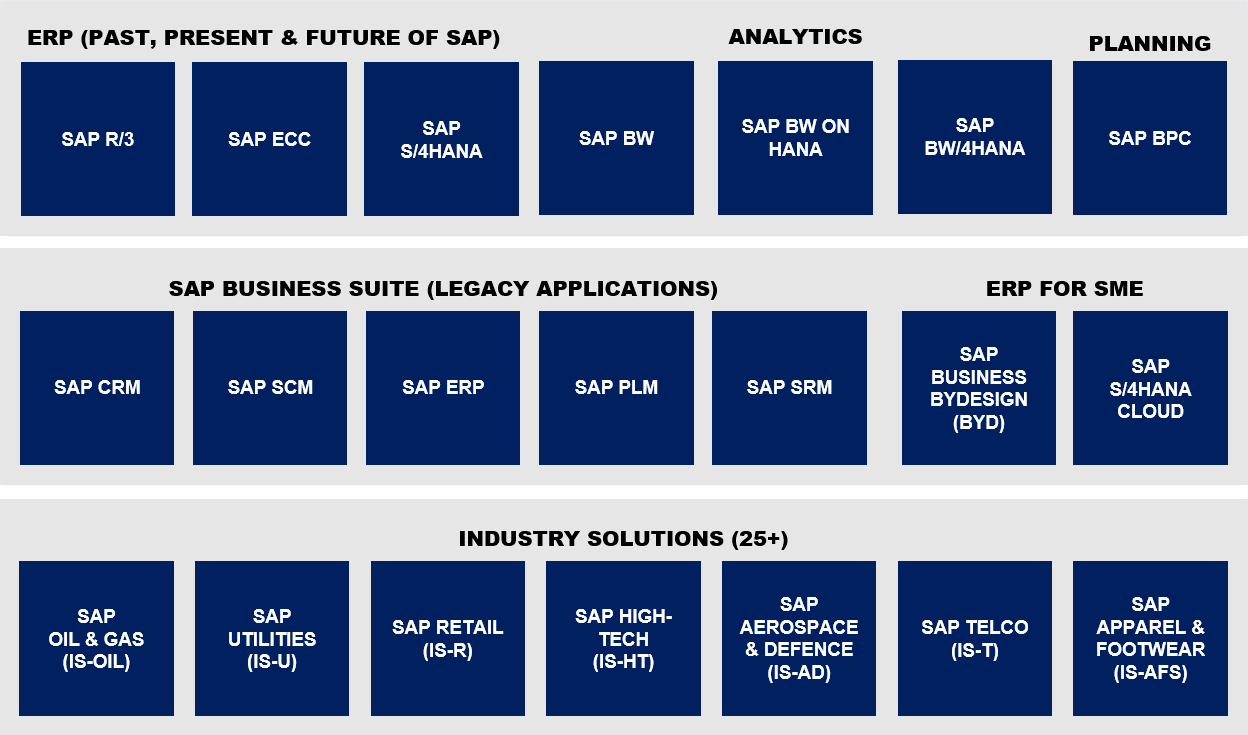
DVW ACS Works with Your Core SAP SolutionsThe DVW Alteryx Connector for SAP offers Read and Write capability for all of your core SAP systems including:
Don't see your SAP system here? Take a look at our other Alteryx connectors for SAP products or contact our team to check if your SAP system is covered.
|
|
|
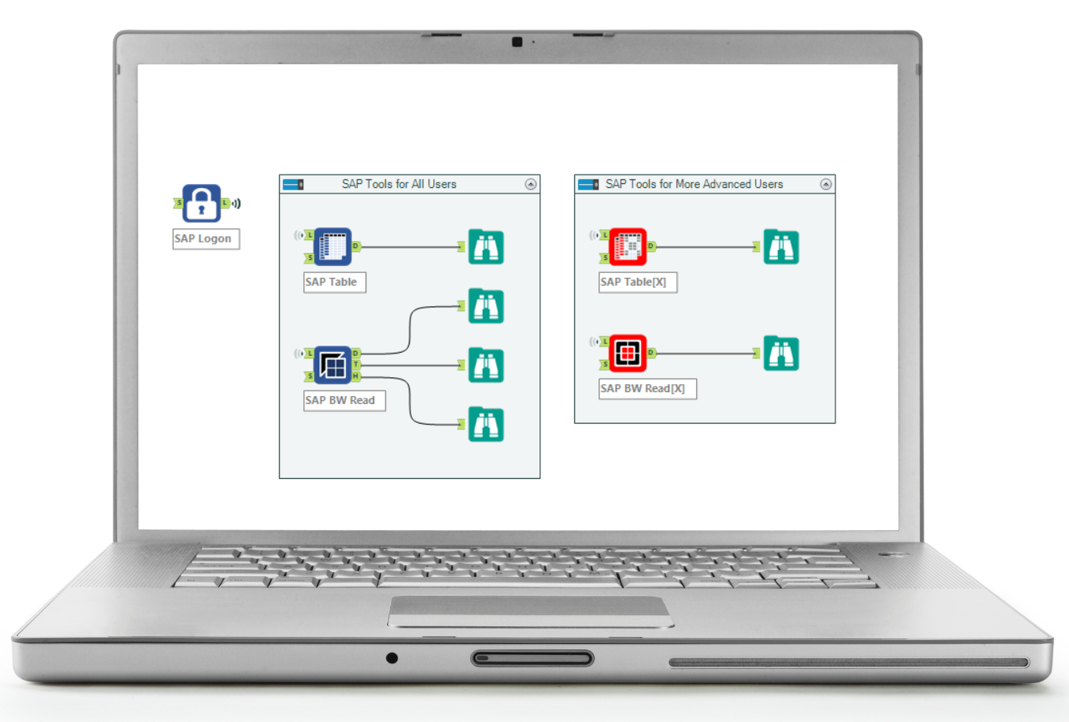
DVW ACS Works with All Alteryx ToolsThe DVW Alteryx Connector for SAP works with all Alteryx tools.
The DVW Alteryx Connector for SAP is "baked" into Alteryx and has zero impact on your SAP installation so you can be up and running immediately. |
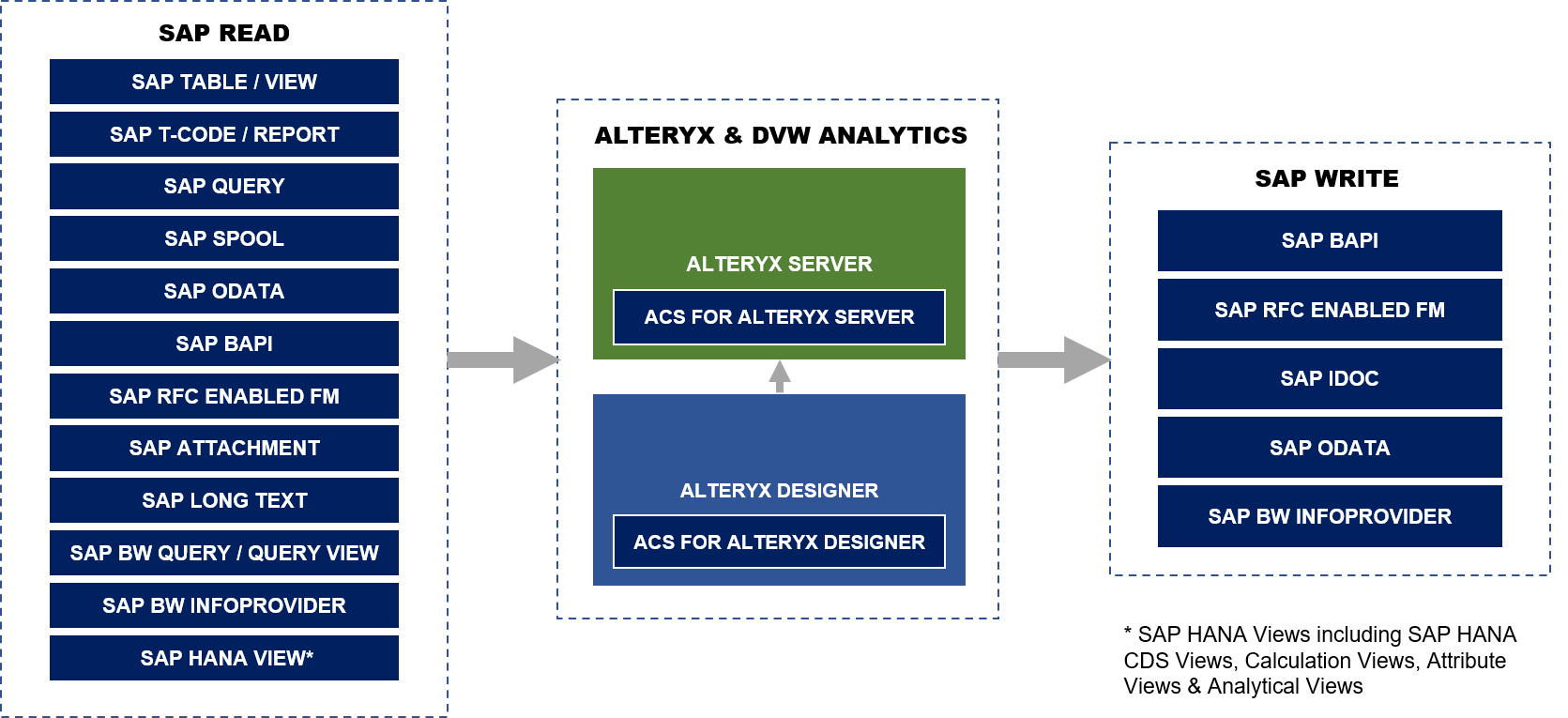
DVW ACS Offers Extensive SAP Read & Write Capabilities
SAP Read Capabilities
Extract data from SAP
The DVW Alteryx Connector for SAP supports the extract of data from a wide range of SAP sources including:
- SAP Tables
- SAP Transactions (T-Codes) and Reports
- SAP Queries
- SAP Spool
- SAP OData
- SAP BAPI
- SAP Attachments e.g. PDF, image files
- SAP BW Queries and Query Views
- SAP BW InfoProviders
- SAP HANA Views
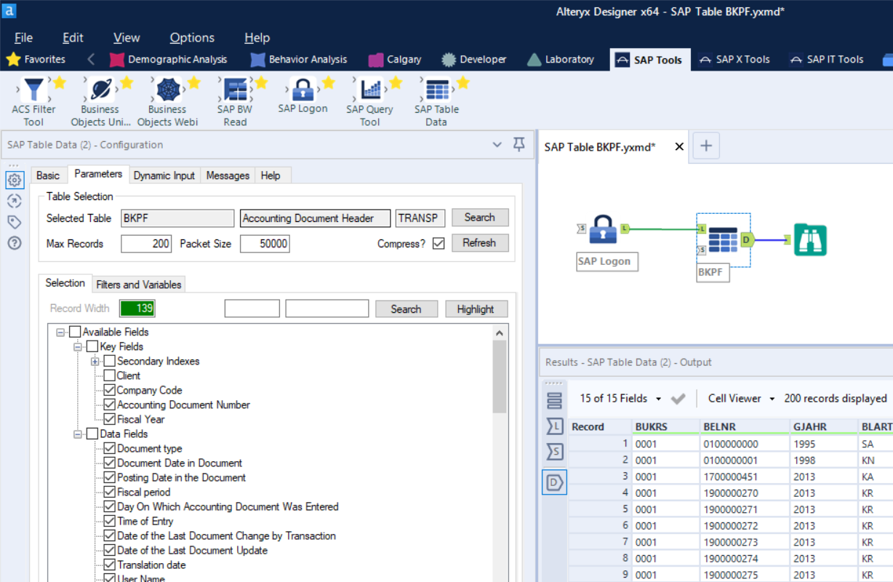
SAP Table & ViewExtract data from:
Features:
|
|
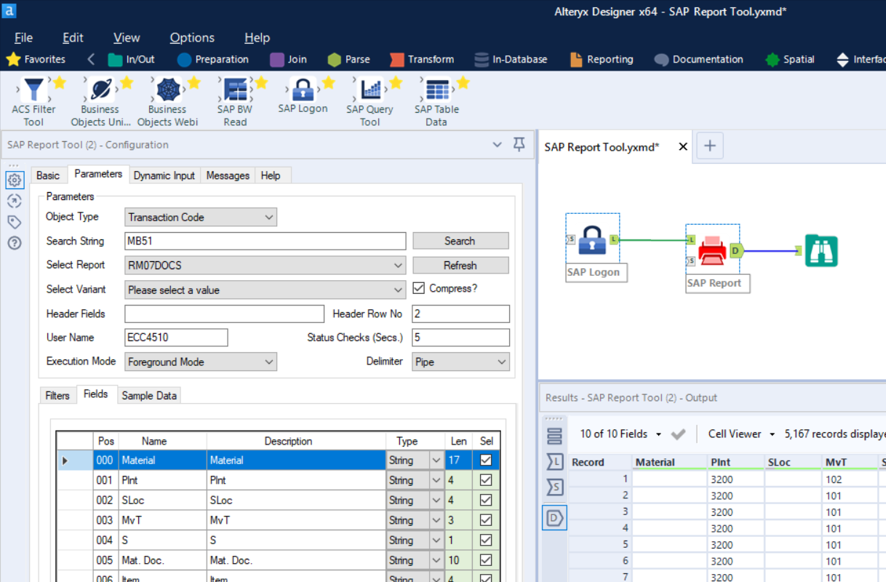
SAP Transaction (T-CODE) & ReportExtract data from:
Features:
|
|
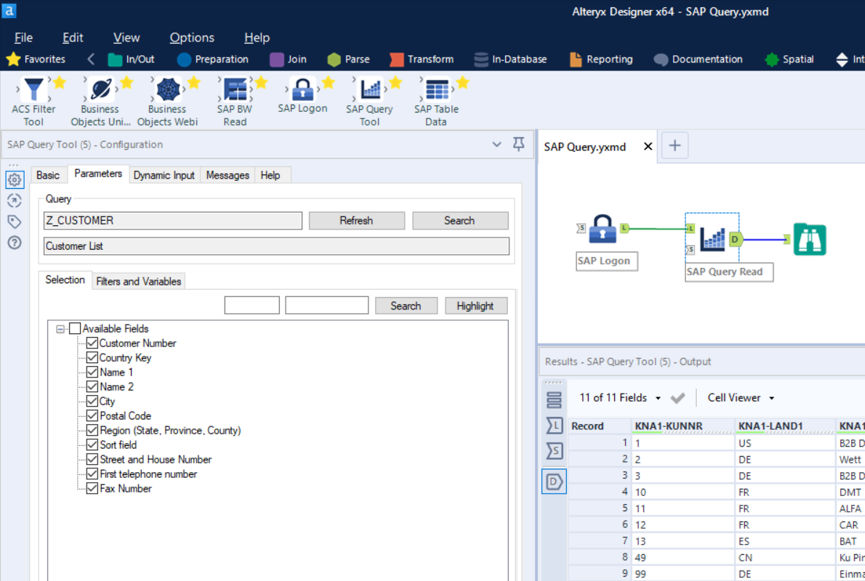
SAP QueryExtract data from:
Features:
|
|
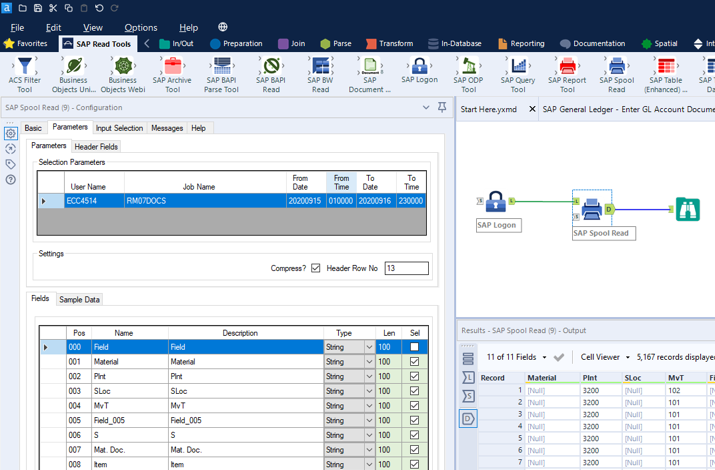
SAP SpoolExtract data from:
Features:
|
|
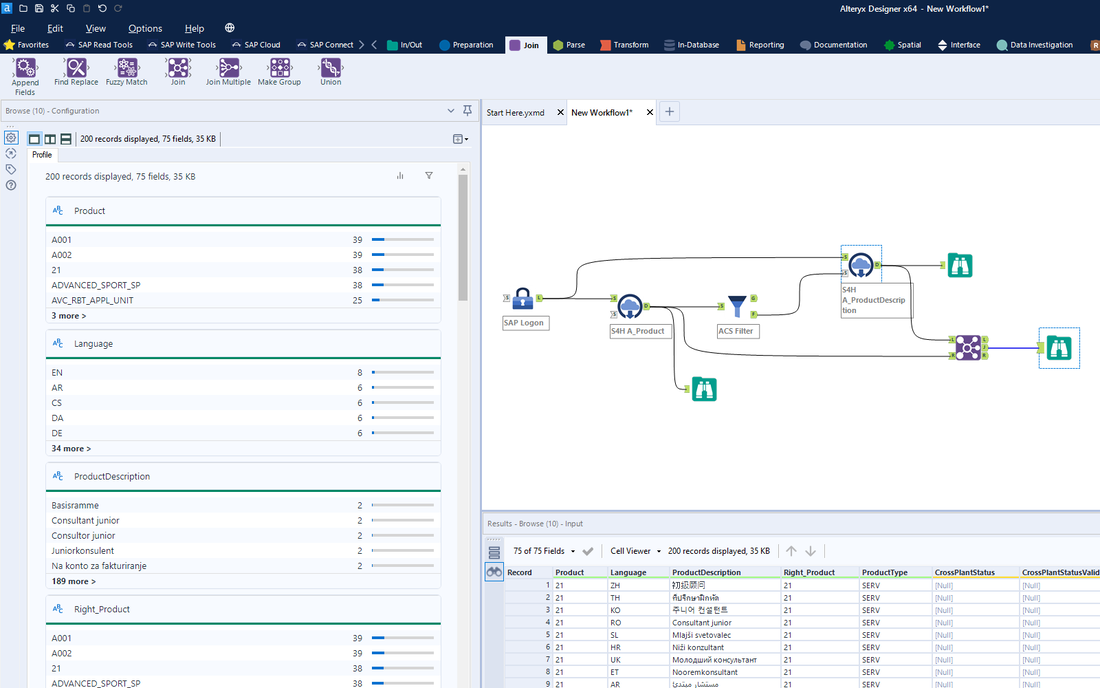
SAP ODataExtract data from:
Features:
|
|
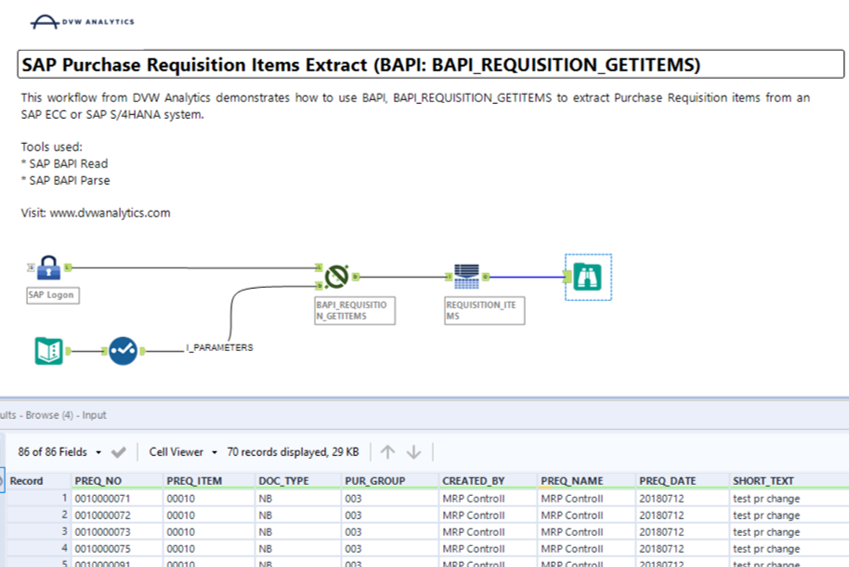
SAP BAPIExtract data from:
Features:
|
|
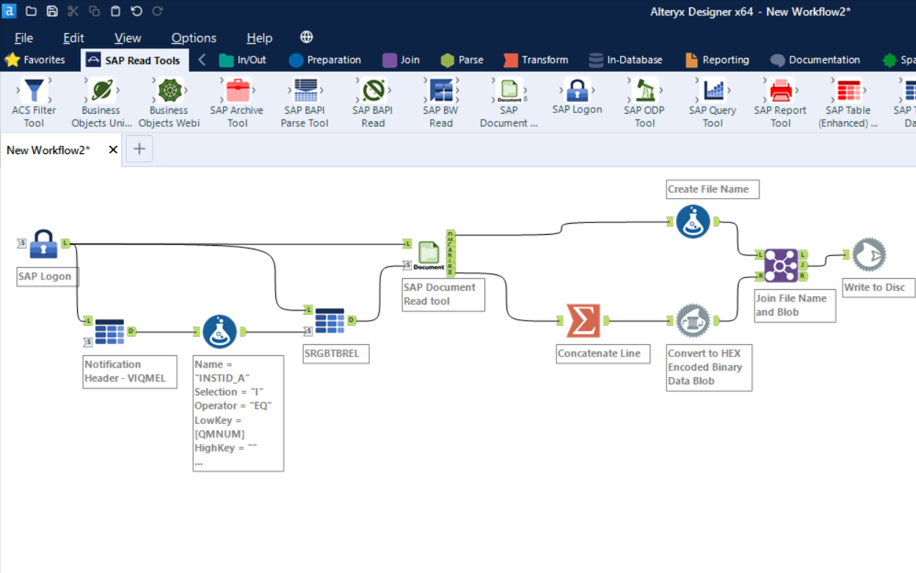
SAP AttachmentExtract attachments from:
Features:
|
|
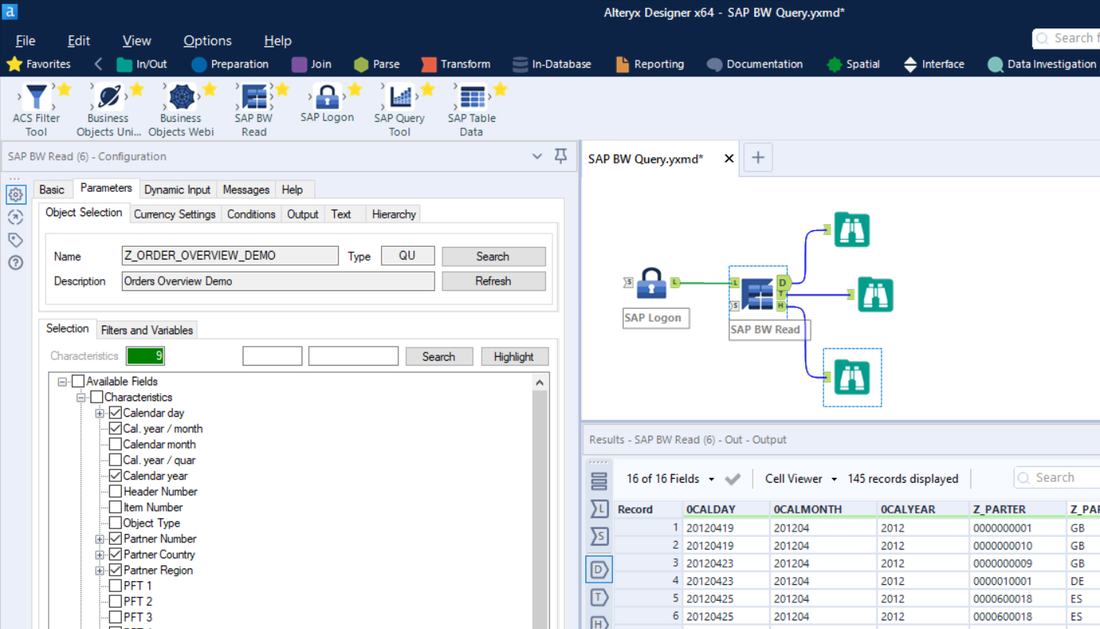
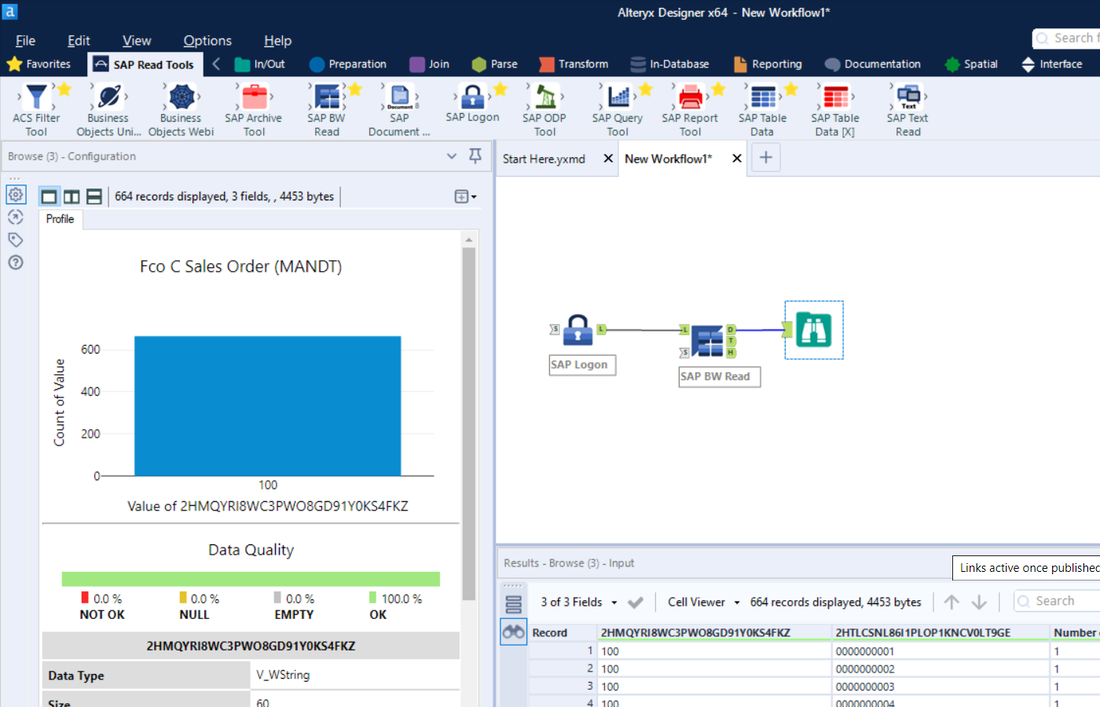
SAP BWExtract data from:
Features:
|
|
SAP HANA ViewExtract data from:
Features:
|
|
SAP Write Capabilities
Load, create & update data in SAP
The DVW Alteryx Connector for SAP uses SAP BAPI, SAP IDoc, SAP OData and SAP InfoProvider write capability to support the load, creation and update of:
- SAP Master Data e.g. Customer, Material etc.
- SAP Transaction Data e.g. Sales Order, G/L Journal Entry etc.
- SAP BW InfoProvider Data
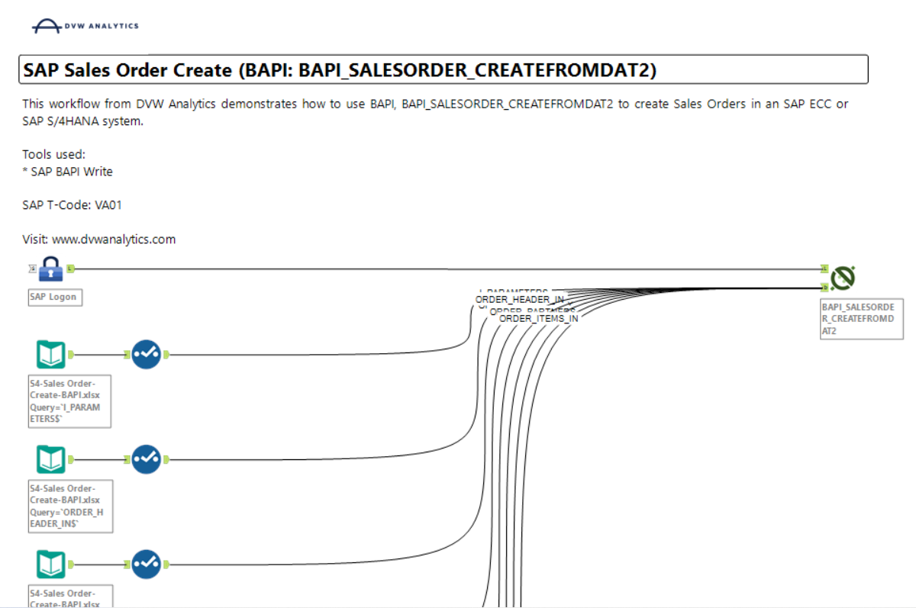
SAP BAPILoad, create and update data in SAP using:
Features:
|
|
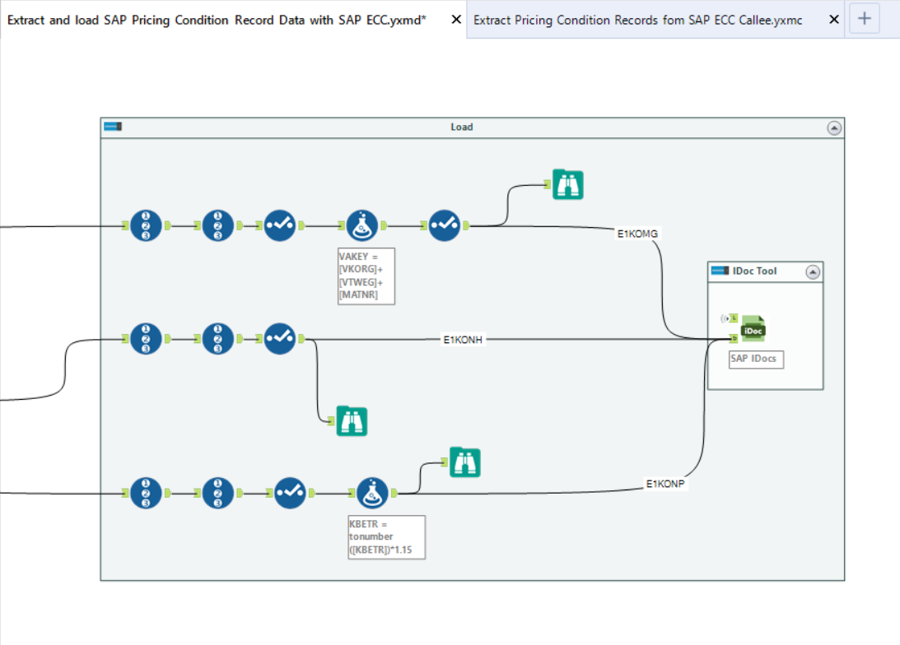
SAP IDocLoad, create and update data in SAP using:
Features:
|
|
SAP ODataLoad, create and update data in SAP using:
Features:
|
|
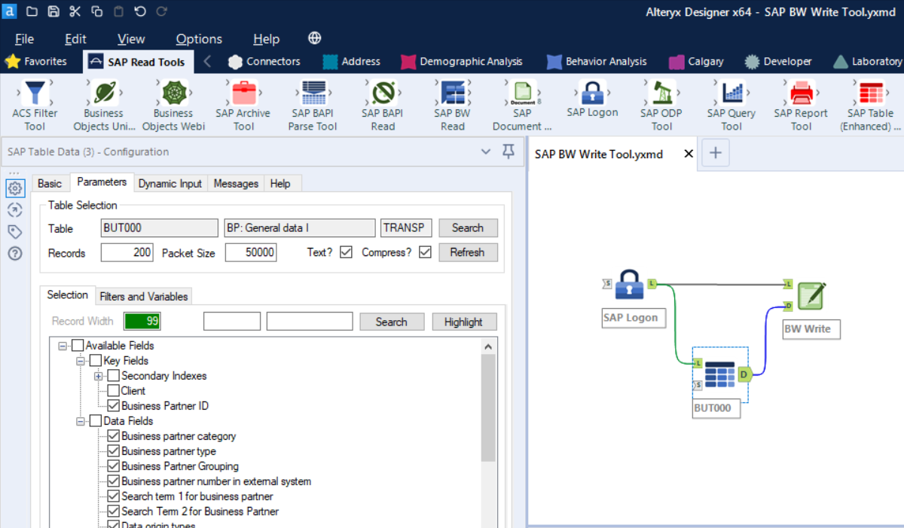
SAP BW InfoProviderLoad data into SAP BW InfoProviders:
|
|
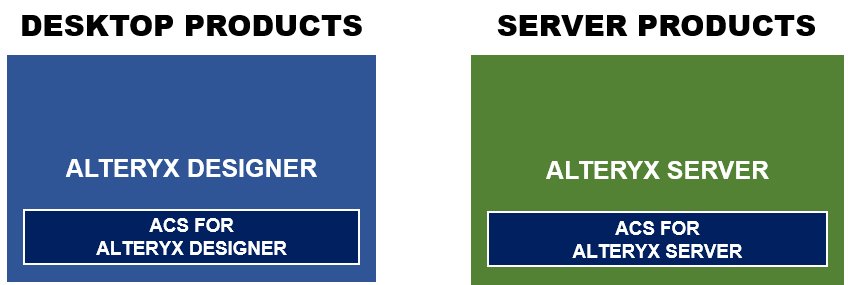
1:1 Alignment Between Alteryx & DVW ACS Products
|
The DVW Alteryx Connector for SAP products align 1:1 with the Alteryx product suite:
|
|
DVW ACS Workflows on Alteryx Gallery
|
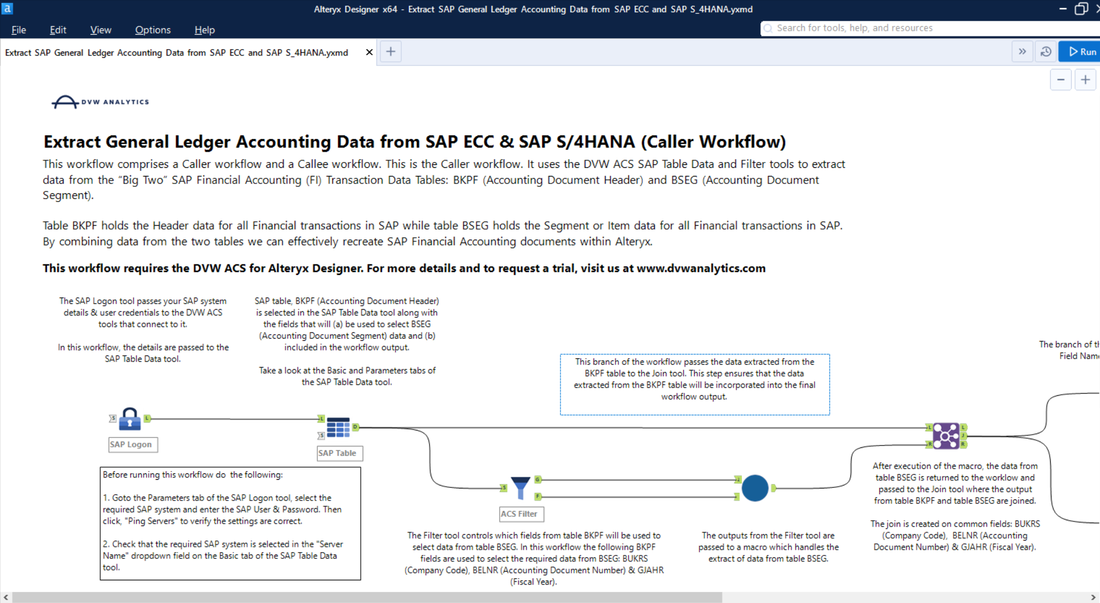
Sample workflows are available to trial and paid users on Alteryx Gallery.
Use the workflows to learn the DVW Alteryx Connector for SAP tools and start building workflows immediately. |
|
DVW ACS SAP Read Tools
|
SAP Read Tools are used to extract data from SAP systems into Alteryx. The following Standard and Premium SAP Read Tools are available for the DVW Alteryx Connector for SAP:
Standard Tools
Premium Tools
Note: Unless otherwise noted the SAP Read Tools require NO installation of software on SAP. |
|
Standard Tools
SAP Table Data Tool
|

STANDARD TOOL |
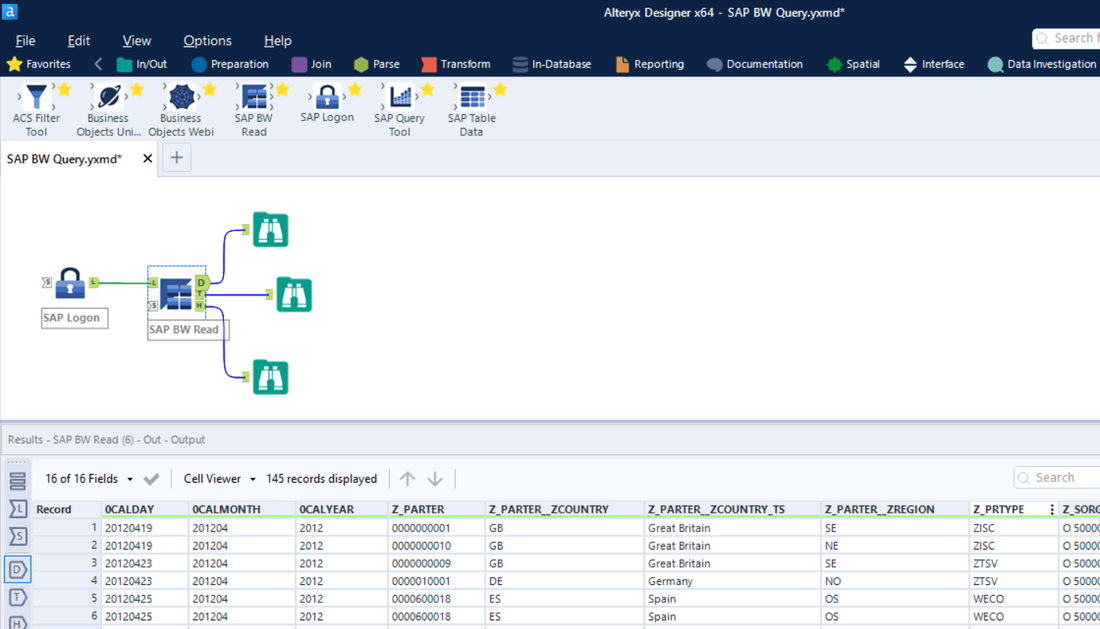
SAP BW Read Tool
|
STANDARD TOOL |
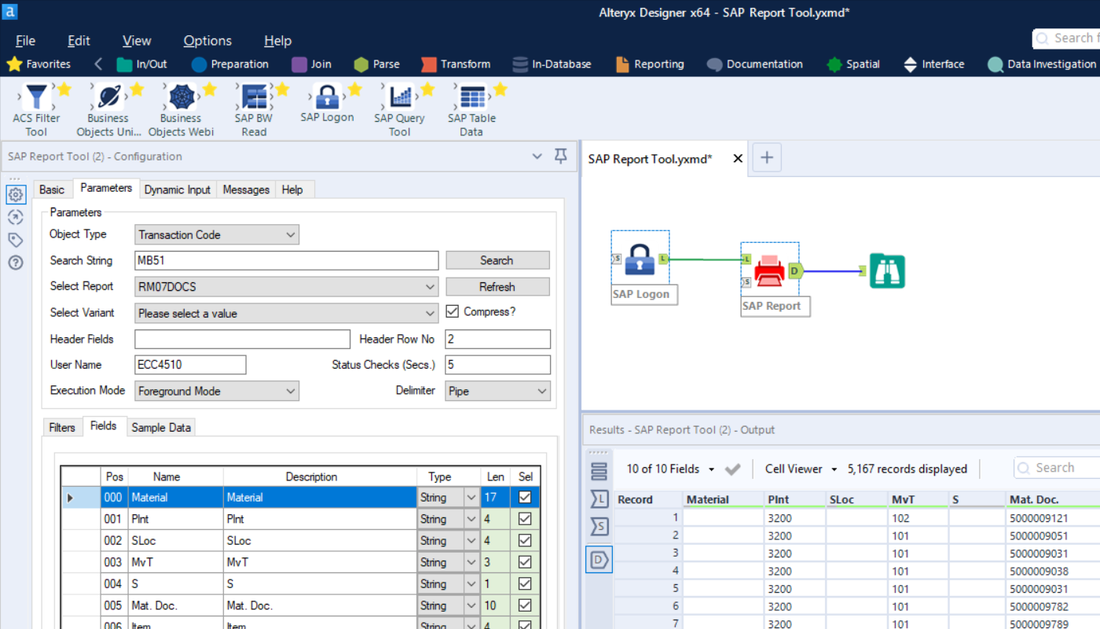
SAP Report ToolThe SAP Report Tool is for use by users who require the following capabilities:
The SAP Report Tool allows users to:
Note: The SAP Report Tool requires installation on the SAP Application Server |
STANDARD TOOL |
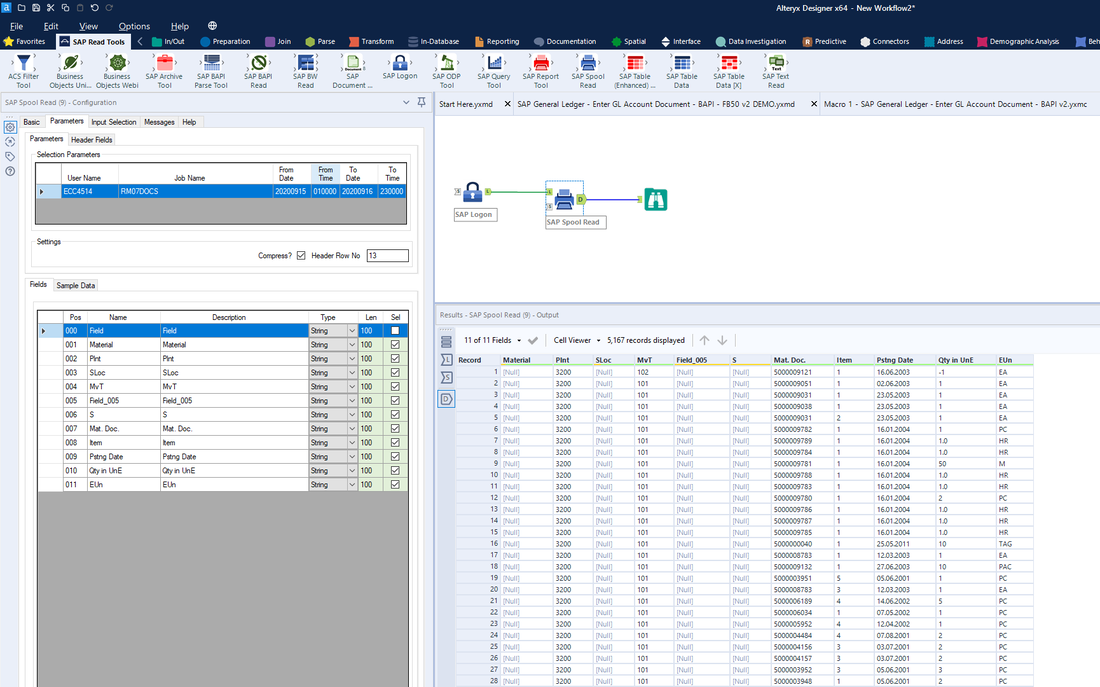
SAP Spool Read ToolThe SAP Spool Read Tool is for use by users who require the following capabilities:
The SAP Spool Read Tool:
|
STANDARD TOOL |
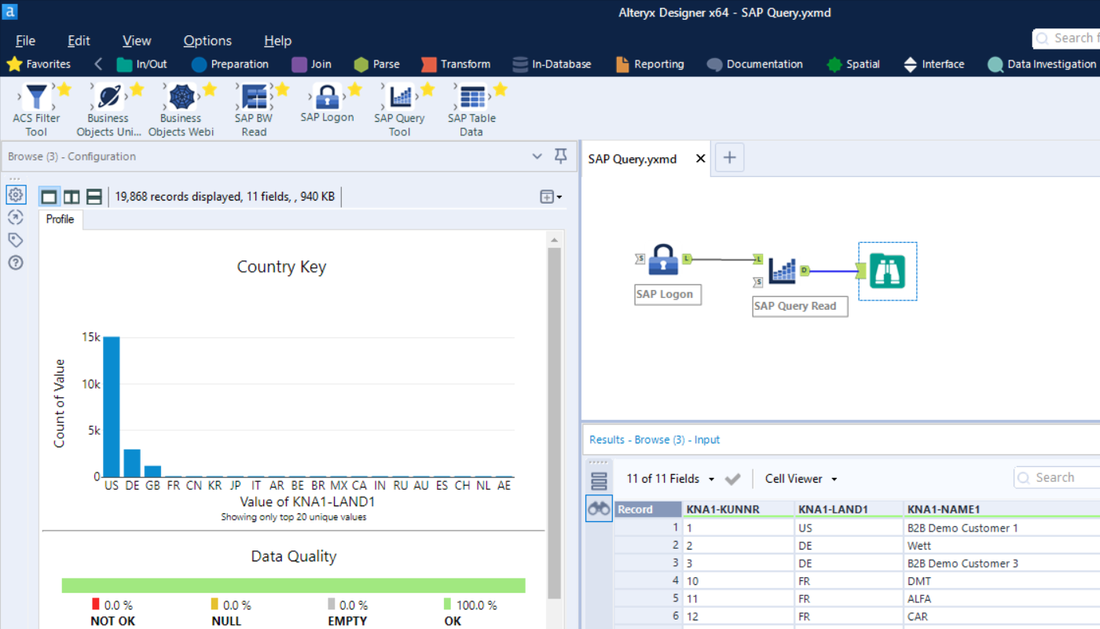
SAP Query Tool
|
STANDARD TOOL |
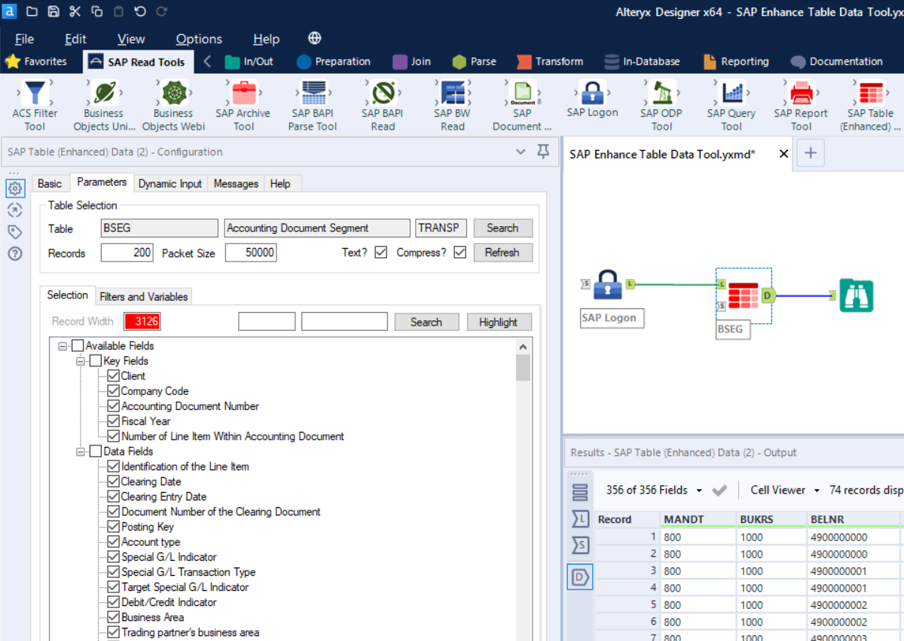
SAP Table Data (Enhanced) ToolThe SAP Table Data (Enhanced) Tool is for use by more advanced users who require the following capabilities:
The SAP Table Data (Enhanced) Tool shares the following capabilities with the SAP Table Data Tool:
Note: The SAP Table Data (Enhanced) Tool requires installation on the SAP Application Server |
STANDARD TOOL |
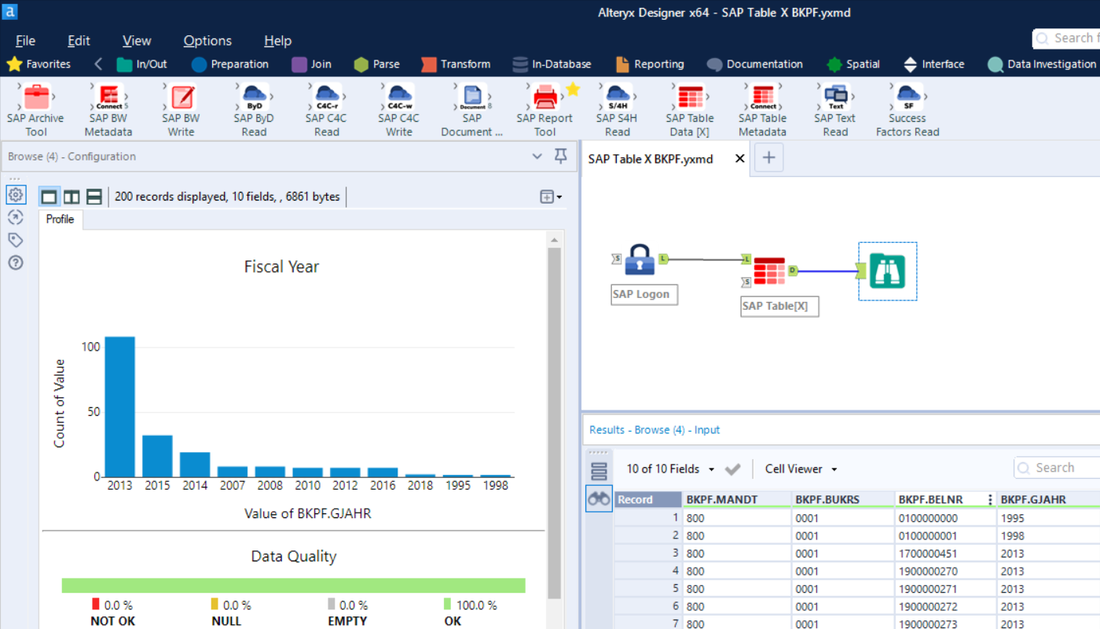
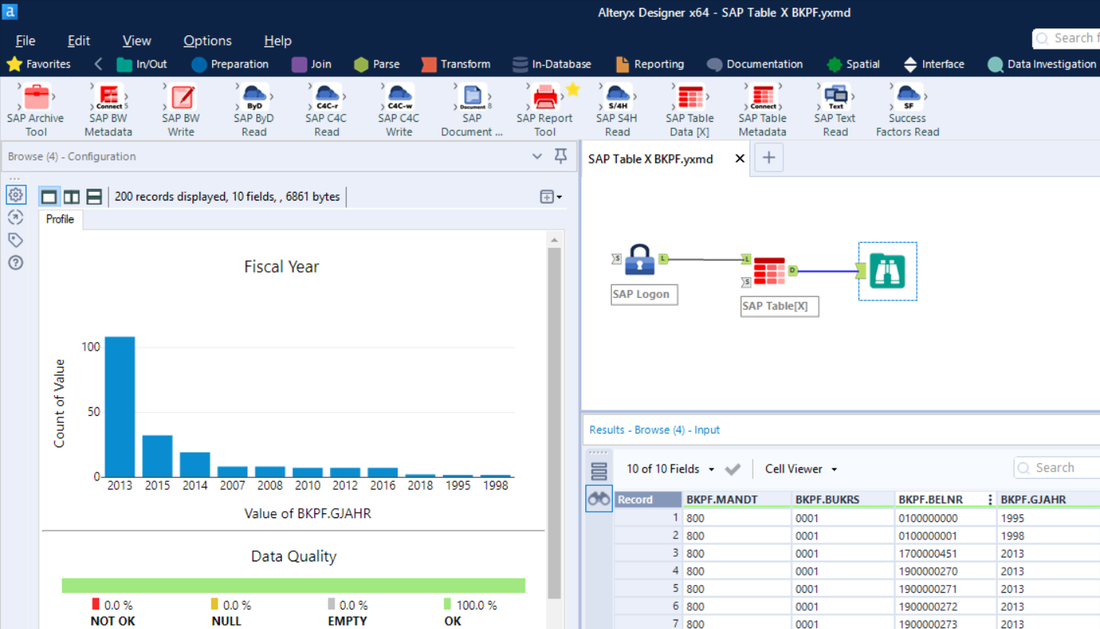
SAP Table Data[X] ToolThe SAP Table Data[X] Tool is for use by more advanced users who require the following capabilities:
The SAP Table Data[X] Tool shares the following capabilities with the SAP Table Data Tool:
Note: The SAP Table Data[X] Tool requires installation on the SAP Application Server |
STANDARD TOOL |
Premium Tools
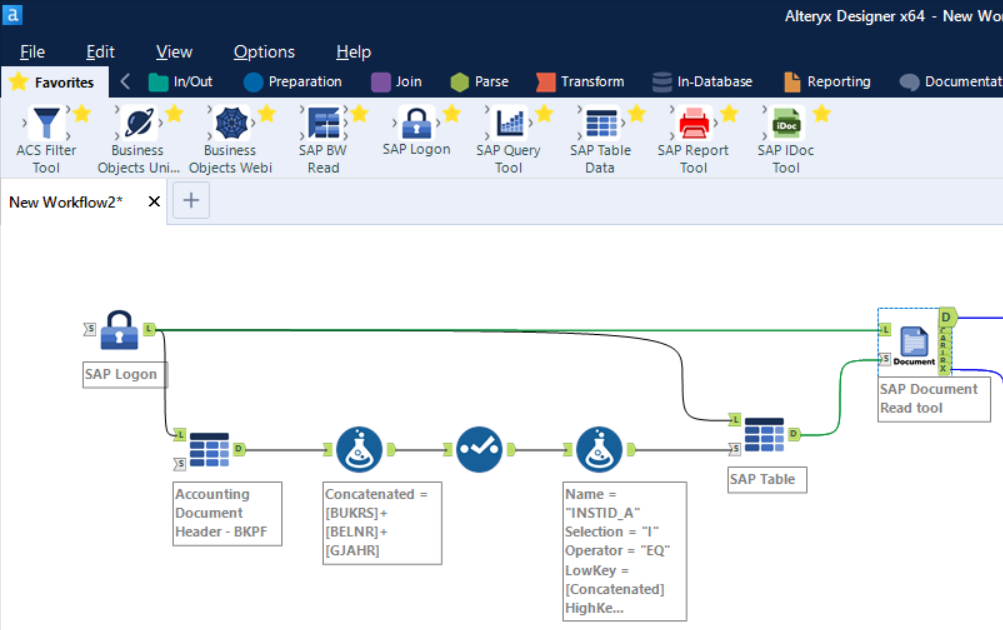
SAP Document Read ToolThe SAP Document Read Tool is an optional Add-On to the DVW Alteryx Connector for SAP and is for use by users who require the following capabilities:
The SAP Document Read Tool allows users to:
|
PREMIUM TOOL |
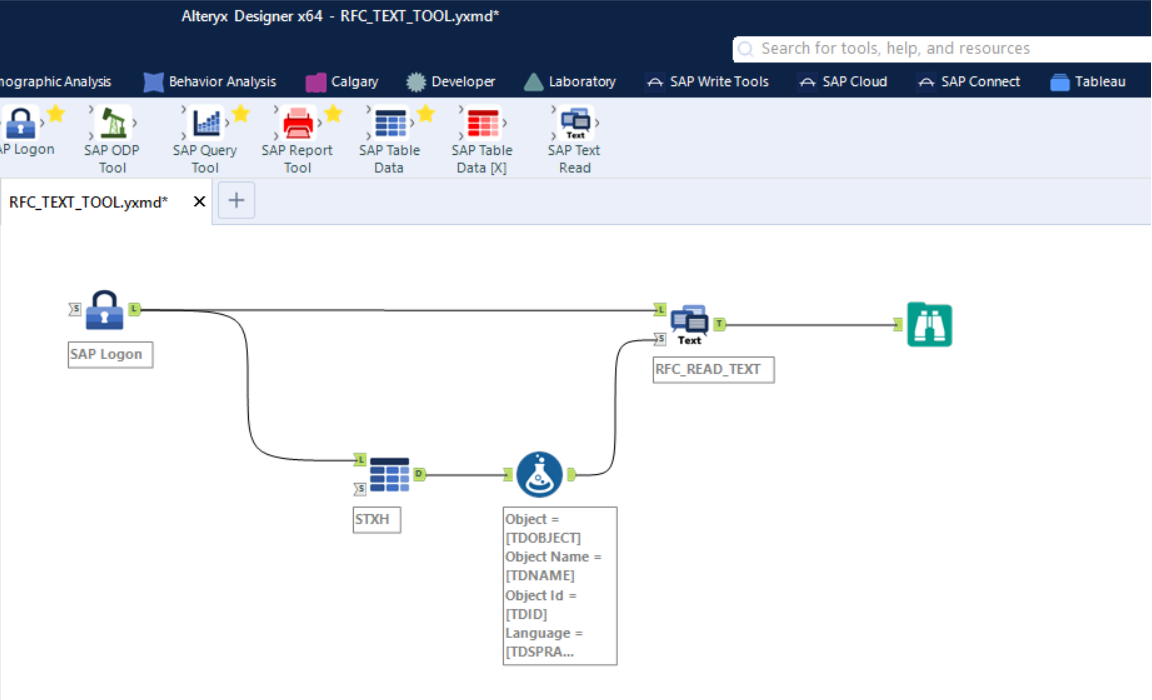
SAP Text Read ToolThe SAP Text Read Tool is an optional Add-On to the DVW Alteryx Connector for SAP and is for use by users who require the following capabilities:
The SAP Text Read Tool allows users to:
|
PREMIUM TOOL |
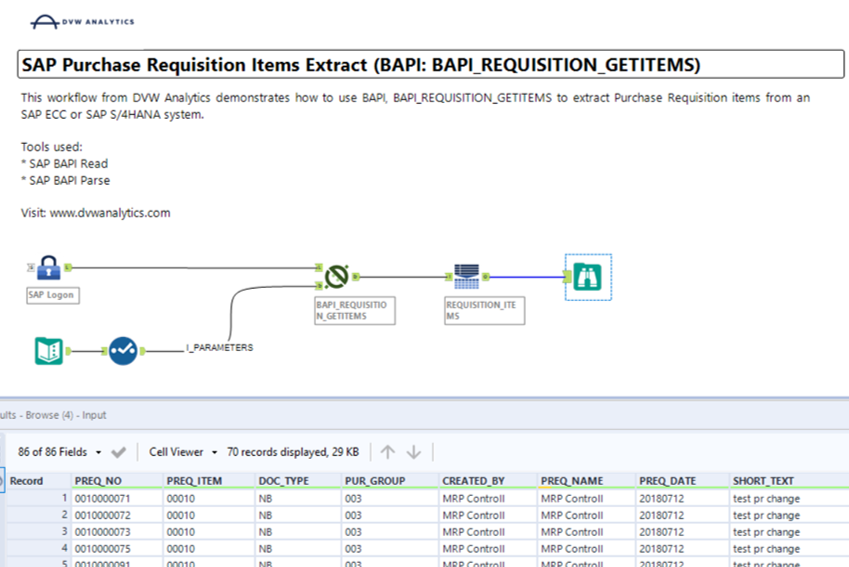
SAP BAPI Read ToolThe SAP BAPI Read Tool is an optional Add-On to the DVW Alteryx Connector for SAP and is for users who require the following capabilities:
The SAP BAPI Read Tool allows users to:
|
PREMIUM TOOL |
DVW ACS SAP Write Tools
|
The SAP Write Tools are used to load, create & update data in SAP systems from Alteryx. The following Premium SAP Write Tools are available for the DVW Alteryx Connector for SAP:
Note: The SAP Write Tools require NO installation of software on SAP. |
|
Premium Tools
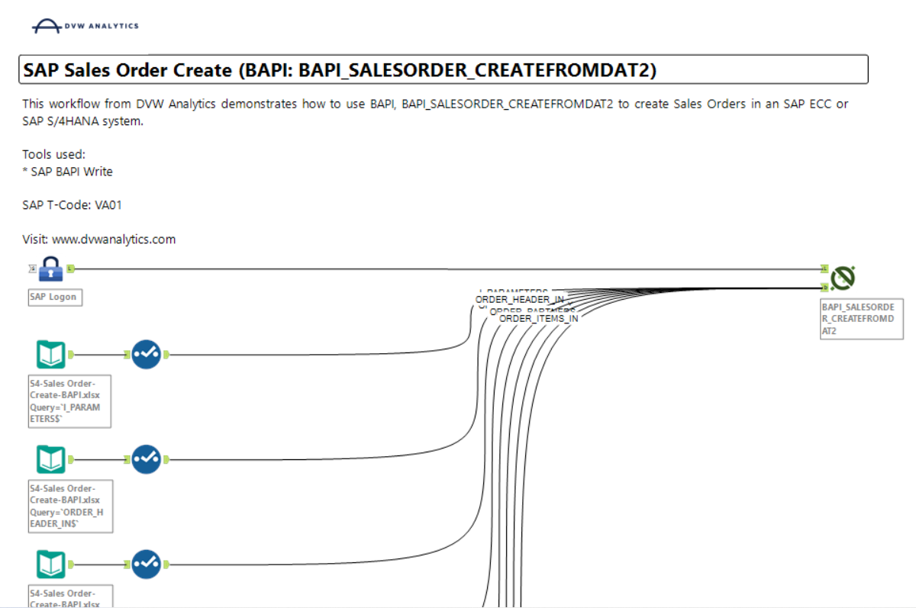
SAP BAPI Write ToolThe SAP BAPI Write Tool is an optional Premium Add-On to the DVW Alteryx Connector for SAP.
Use the SAP BAPI Write Tool to load data from Alteryx workflows directly into SAP using SAP BAPIs or SAP RFC-enabled Function Modules. Multiple use cases are supported including but not limited to:
|
PREMIUM TOOL |
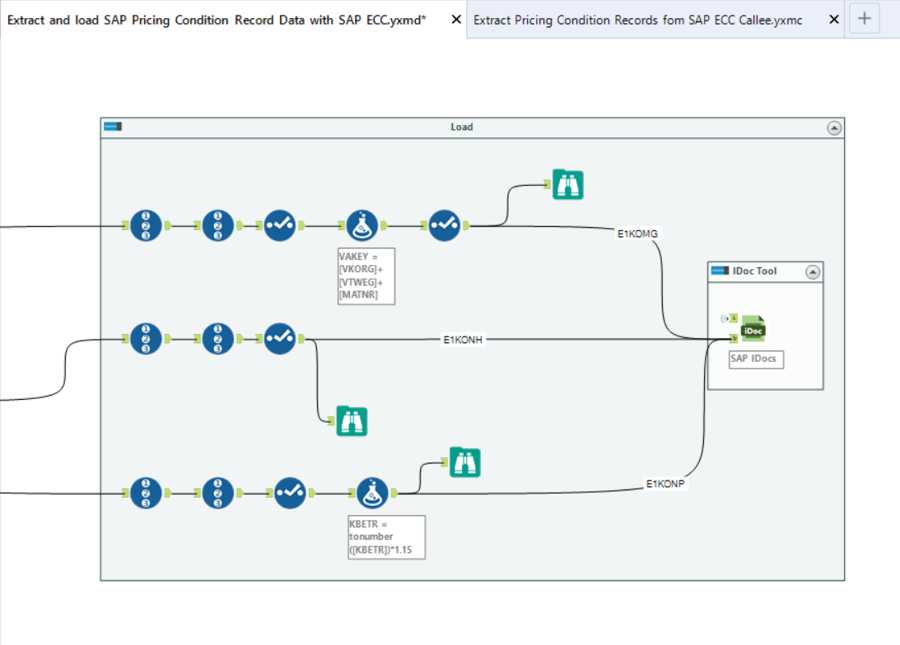
SAP IDoc Write ToolThe SAP IDoc Write Tool is an optional Premium Add-On to the DVW Alteryx Connector for SAP.
Use the SAP IDoc Write Tool to load data from Alteryx workflows directly into SAP using IDoc (Intermediate Document) technology. Multiple use cases are supported including but not limited to:
|
PREMIUM TOOL |
SAP BW Write ToolThe SAP BW Write Tool is an optional Premium Add-On to the DVW Alteryx Connector for SAP.
Use the SAP BW Write Tool to load data from Alteryx workflows directly into SAP BW InfoProviders (InfoCube and ODS Objects) |
PREMIUM TOOL |
Key Features of the DVW ACS

Installed as an Alteryx plug-in
|

Most DVW ACS Tools need no installation on SAP
|

No extra Hardware required
|

Works with all Alteryx tools
|

Schedule Workflows with Alteryx Server
|
No staging of data required
|

Use multiple SAP systems in a single Workflow
|

Respects user's SAP authorizations
|

Designed to optimize extract of large data volumes
|

Delta loads supported
|

Uses standard SAP API's
|

Supports SSO
|