
Products

Solutions

Pricing

Free Trial

Blog

Demos & Recordings

Webinars

Events

Contact Us

DVW Analytics
  • Products
    • DVW Connectors for SAP >
      • DVW Alteryx Connector for SAP
      • DVW KNIME Connector for SAP
      • DVW Dataiku Connector for SAP
    • DVW Flow Tool >
      • DVW Flow Tool
      • DVW Employee Master Data Migration for SAP Solutions
    • DVW RPA Tools for SAP >
      • DVW Alteryx RPA Tools for SAP
      • DVW KNIME RPA Tools for SAP
      • DVW Flow Tool RPA Tools for SAP
  • Solutions
    • SAP Analytics
    • SAP Data Migration
    • SAP Process Automation
    • SAP Data for AI and Machine Learning
  • Pricing
    • DVW Connectors for SAP >
      • DVW Alteryx Connector for SAP Pricing
      • DVW KNIME Connector for SAP Pricing
      • DVW Dataiku Connector for SAP Pricing
    • DVW Flow Tool >
      • DVW Flow Tool Pricing
    • DVW RPA Tools for SAP >
      • DVW RPA Tools Pricing
  • Free Trial
  • Resources
    • About Us
    • Customers >
      • Johnson & Johnson Customer Story
      • AGC Customer Story
      • Brightstar Customer Story
      • Vector Logistics Customer Story
      • International Bank Customer Story
      • KPMG (Tax practice, state income tax apportionment) Customer Story
    • Partners
    • Resellers
    • Services
    • Help Centre
    • Sample Workflows >
      • Alteryx Sample Workflows for SAP
      • KNIME Workflow Templates for SAP
      • Flow Tool Sample Workflows
    • License
    • FAQ
  • Insights
    • Blog
    • SAP Data Models >
      • SAP FI/CO Table Relationships - Interactive Data Model Diagram
      • SAP SD Table Relationships - Interactive Data Model Diagram
      • SAP Inventory Management Table Relationships - Interactive Data Model Diagram
      • SAP Purchasing Table Relationships - Interactive Data Model Diagram
      • SAP PP Table Relationships - Interactive Data Model Diagram
      • SAP QM Table Relationships - Interactive Data Model Diagram
      • SAP PM Table Relationships - Interactive Data Model Diagram
      • SAP WM Table Relationships - Interactive Data Model Diagram
      • SAP HCM Table Relationships - Interactive Data Model Diagram
      • SAP PS Table Relationships - Interactive Data Model Diagram
    • Demos & Recordings >
      • DVW Connectors for SAP >
        • DVW Alteryx Connector for SAP Demos
        • DVW KNIME Connector for SAP Demos
        • DVW Dataiku Connector for SAP Demos
      • DVW Flow Tool >
        • DVW Flow Tool Demos
      • DVW RPA Tools for SAP >
        • DVW RPA Tools for SAP Demos
    • Webinars
    • Events
  • Contact Us

Blog

The most important SAP Finance and Controlling (FI/CO) tables for users of  Alteryx, KNIME, Dataiku, Microsoft, Databricks, Snowflake & more

2/4/2026

 
Picture

In this blog we identify the most important SAP Finance and Controlling (FI/CO) tables for users of:

  • Alteryx and the DVW Alteryx Connector for SAP
  • KNIME and the DVW KNIME Connector for SAP
  • Dataiku and the DVW Dataiku Connector for SAP
  • Power BI, Tableau, Databricks, Snowflake and the DVW Flow Tool

These tables cover the full record-to-report cycle, from journal entries and cost postings through to period-end close, along with the master data and configuration tables you will need to build complete FI/CO reporting and analytics workflows.

SAP Finance and Controlling tables are found in the following SAP systems:

  • SAP ECC
  • SAP ERP
  • SAP S/4HANA

SAP Financial Accounting (FI) Transaction Tables

Accounting Document Tables

The accounting document is the central object in SAP Financial Accounting. Every financial posting creates a document with a header and one or more line items.

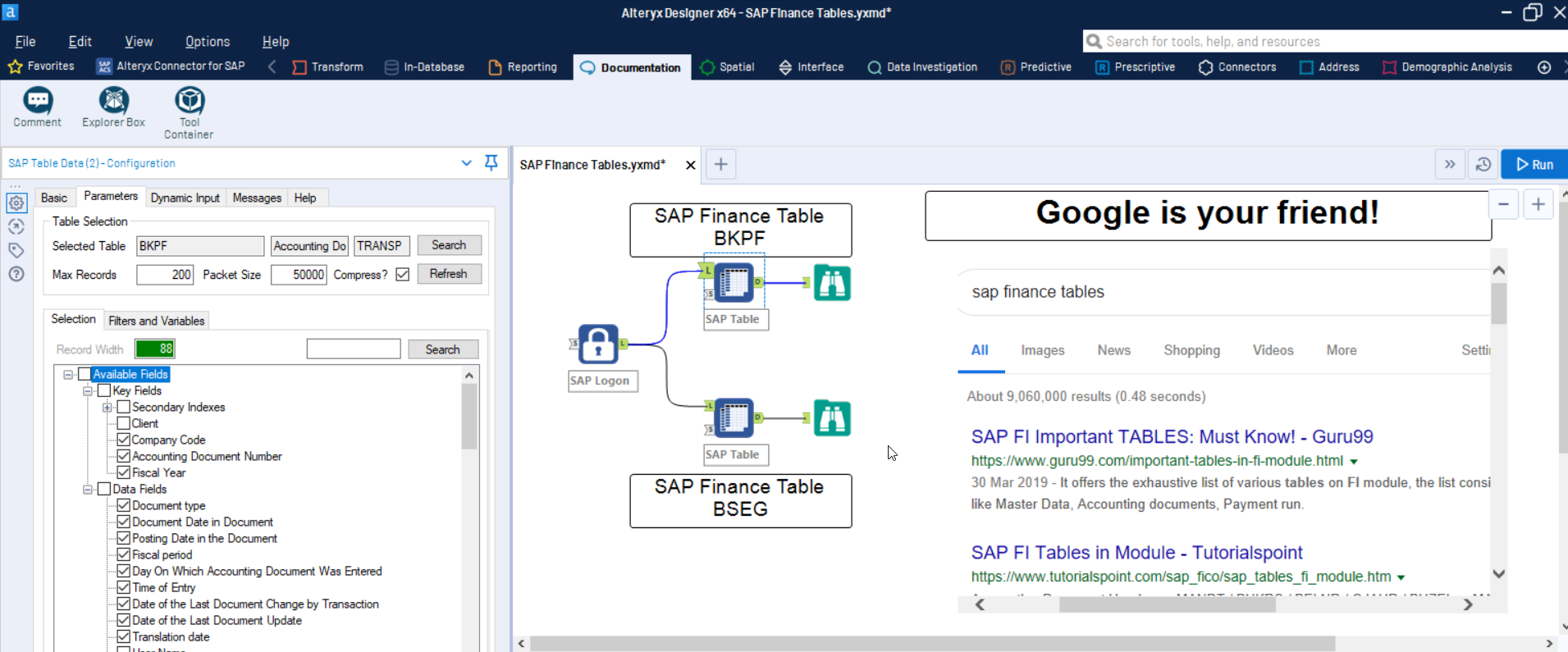
BKPF - Accounting Document Header. Contains one row per accounting document with fields such as document number (BELNR), company code (BUKRS), fiscal year (GJAHR), document type (BLART) and posting date (BUDAT). This is your starting point for any general ledger analysis.

BSEG - Accounting Document Line Item. Contains one row per line item within each accounting document. Key fields include document number (BELNR), company code (BUKRS), fiscal year (GJAHR), line item number (BUZEI), G/L account (HKONT), amount in local currency (DMBTR) and amount in document currency (WRBTR). Join to BKPF on BELNR, BUKRS and GJAHR to build a complete journal entry dataset. In S/4HANA, BSEG still exists but the primary line item data is stored in ACDOCA.

Secondary Index Tables (Open and Cleared Items)

SAP maintains secondary indexes that split line items by account type and clearing status. Open items are uncleared postings (such as unpaid invoices); cleared items are postings that have been matched and settled. These tables provide faster access than querying BSEG directly.

BSID - Accounting: Secondary Index for Customers (Open Items). Contains open (uncleared) customer line items. Key fields: BUKRS, KUNNR, UMSKS, AUGDT, AUGBL, ZUONR, GJAHR, BELNR, BUZEI. Join to BKPF on BELNR, BUKRS and GJAHR for document header details.

BSAD - Accounting: Secondary Index for Customers (Cleared Items). Same structure as BSID but contains only cleared customer line items. Use BSID and BSAD together for a complete customer line item history.

BSIK - Accounting: Secondary Index for Vendors (Open Items). Contains open (uncleared) vendor line items. Key fields: BUKRS, LIFNR, UMSKS, AUGDT, AUGBL, ZUONR, GJAHR, BELNR, BUZEI.

BSAK - Accounting: Secondary Index for Vendors (Cleared Items). Same structure as BSIK but contains only cleared vendor line items. Use BSIK and BSAK together for a complete vendor line item history.

BSIS - Accounting: Secondary Index for G/L Accounts (Open Items). Contains open (uncleared) G/L account line items. Key fields: BUKRS, HKONT, AUGDT, AUGBL, ZUONR, GJAHR, BELNR, BUZEI.

BSAS - Accounting: Secondary Index for G/L Accounts (Cleared Items). Same structure as BSIS but contains only cleared G/L account line items.

New General Ledger Tables

The New General Ledger (New GL), introduced with SAP ERP 6.0 Enhancement Pack 5, extends the classic general ledger with additional dimensions such as profit center, segment and functional area at the line item level. These tables are available in both SAP ECC (when New GL is activated) and SAP S/4HANA.

FAGLFLEXA - New GL: Actual Line Items. Contains one row per line item with additional accounting dimensions not available in BSEG. Key fields include ledger (RLDNR), company code (RBUKRS), fiscal year (RYEAR), document number (BELNR), line item (DOCLN), G/L account (RACCT), profit center (PRCTR) and segment (SEGMENT). In S/4HANA, FAGLFLEXA is replaced by ACDOCA.

FAGLFLEXT - New GL: Totals. Contains period-level balances by account, profit center, segment and other dimensions. Key fields include ledger (RLDNR), company code (RBUKRS), fiscal year (RYEAR), G/L account (RACCT), period balances (HSL01 through HSL16). Useful for trial balance and period-end reporting. In S/4HANA, FAGLFLEXT is replaced by ACDOCT.

SAP Controlling (CO) Transaction Tables

The Controlling module records internal cost flows, allocations and settlements. CO documents are linked to FI documents through the accounting document number.

COBK - CO Document: Header. Contains one row per controlling document with fields such as document number (BELNR), controlling area (KOKRS), fiscal year (GJAHR) and transaction type (VRGNG). Join to COEP on BELNR, KOKRS and GJAHR.

COEP - CO Document: Line Items. Contains one row per controlling line item. Key fields include document number (BELNR), controlling area (KOKRS), fiscal year (GJAHR), line number (BUZEI), cost element (KSTAR), object type (OTYPE) and value type (WRTTP). In S/4HANA, COEP is replaced by ACDOCA.

COSP - CO Object: Cost Totals for External Postings. Contains period-level cost totals by cost object and cost element for postings originating from FI. Key fields include controlling area (KOKRS), cost object number (OBJNR), fiscal year (GJAHR), cost element (KSTAR) and period values (WKG001 through WKG016). In S/4HANA, COSP is replaced by ACDOCT.

Profit Center Accounting Tables

In SAP ECC, Profit Center Accounting (EC-PCA) stores profit center-level postings in its own set of tables. In S/4HANA, EC-PCA is no longer a separate component. Profit center data is stored directly in ACDOCA and ACDOCT through the New GL integration.

GLPCA - EC-PCA: Actual Line Items. Contains actual postings at the profit center level. Key fields include controlling area (KOKRS), profit center (PRCTR), fiscal year (RYEAR), period (PESSION/RPMAX), account (RACCT) and amount (HSL/KSL). In S/4HANA, GLPCA is replaced by ACDOCA.

GLPCT - EC-PCA: Totals. Contains period-level totals by profit center. In S/4HANA, replaced by ACDOCT.

SAP FI/CO Master Data Tables

G/L Account Master Tables

The G/L account master in SAP is split into chart of accounts level data and company code level data.

SKA1 - G/L Account Master (Chart of Accounts). Contains one row per G/L account per chart of accounts. Key fields include chart of accounts (KTOPL), G/L account number (SAKNR) and account group (KTOKS). This is the central reference for all G/L account definitions.

SKAT - G/L Account Master Record (Descriptions). Contains language-specific descriptions for each G/L account. Join to SKA1 on KTOPL and SAKNR, and filter by language key (SPRAS).

SKB1 - G/L Account Master (Company Code). Contains company code-specific settings for each G/L account, such as currency, tax category and open item management flag. Key fields: BUKRS, SAKNR. Join to SKA1 on SAKNR using the chart of accounts assigned to the company code in T001.

Cost Center and Cost Element Tables

CSKS - Cost Center Master Data. Contains one row per cost center per controlling area. Key fields include controlling area (KOKRS), cost center (KOSTL), validity dates (DATAB, DATBI), company code (BUKRS) and profit center (PRCTR).

CSKT - Cost Center Texts. Contains language-specific descriptions for each cost center. Join to CSKS on KOKRS and KOSTL.

CSKA - Cost Element Master (Chart of Accounts). Contains one row per cost element per chart of accounts. Key fields include chart of accounts (KTOPL), cost element (KSTAR) and cost element category (KATYP).

CSKU - Cost Element Texts. Contains language-specific descriptions for each cost element. Join to CSKA on KTOPL and KSTAR, and filter by SPRAS.

Profit Center Master Tables

CEPC - Profit Center Master Data. Contains one row per profit center per controlling area. Key fields include controlling area (KOKRS), profit center (PRCTR) and validity dates (DATAB, DATBI).

CEPCT - Profit Center Texts. Contains language-specific descriptions for each profit center. Join to CEPC on KOKRS and PRCTR.

Asset Master Tables

ANLA - Asset Master Record (General Data). Contains one row per fixed asset. Key fields include company code (BUKRS), asset number (ANLN1), sub-number (ANLN2), asset class (ANLKL) and description (TXT50). Essential for fixed asset reporting and depreciation analysis.

ANLZ - Asset Master: Time-Dependent Data. Contains time-dependent assignments such as cost center, profit center and business area for each asset. Join to ANLA on BUKRS, ANLN1 and ANLN2.

Vendor Master Tables (SAP ECC)

In SAP ECC, vendor master data is stored in a set of LF* tables. These tables also exist in SAP S/4HANA as compatibility views, but the underlying data is stored in the Business Partner tables described below.

LFA1 - Vendor Master (General Data). Contains client-level vendor data such as vendor number (LIFNR), name (NAME1), country (LAND1) and industry (BRSCH). This is your primary vendor dimension table.

LFB1 - Vendor Master (Company Code). Contains vendor data specific to a company code, such as reconciliation account (AKONT) and payment terms (ZTERM). Join to LFA1 on LIFNR.

Customer Master Tables (SAP ECC)

Customer master data in FI is used for accounts receivable. In SAP ECC it is stored in KN* tables. In S/4HANA, the underlying data is in Business Partner tables.

KNA1 - Customer Master (General Data). Contains client-level customer data such as customer number (KUNNR), name (NAME1), country (LAND1). This is your primary customer dimension table for accounts receivable reporting.

KNB1 - Customer Master (Company Code). Contains customer data specific to a company code, such as reconciliation account (AKONT) and payment terms (ZTERM). Join to KNA1 on KUNNR.

Business Partner Tables (SAP S/4HANA)

In SAP S/4HANA, SAP replaced the separate customer and vendor master data models with a unified Business Partner (BP) model. All vendors and customers are created as Business Partners first, with Customer Vendor Integration (CVI) mapping them to the traditional LIFNR and KUNNR numbers.

BUT000 - Business Partner: General Data. The S/4HANA equivalent of LFA1 and KNA1. Contains one row per Business Partner with fields such as partner number (PARTNER), name (NAME_ORG1 for organizations, NAME_FIRST / NAME_LAST for persons), partner type and creation date. This is the central table in the BP model.

CVI_CUST_LINK - Customer Vendor Integration: Customer Link. Maps a Business Partner number (PARTNER) to the traditional customer number (KUNNR). This is the bridge table for joining S/4HANA Business Partner data to legacy customer numbers in FI tables.

CVI_VEND_LINK - Customer Vendor Integration: Vendor Link. Maps a Business Partner number (PARTNER) to the traditional vendor number (LIFNR). This is the bridge table for joining S/4HANA Business Partner data to legacy vendor numbers in FI tables.

SAP FI/CO Configuration Tables

Configuration tables (also known as customizing tables) contain the settings and descriptions that define how your SAP FI/CO modules behave. These are small, slowly changing tables that are useful for decoding values stored in transaction and master data tables. The configuration tables listed below apply to both SAP ECC and SAP S/4HANA.

T001 - Company Codes. Contains the list of company codes configured in your SAP system, including company name, country, currency and chart of accounts. This is one of the most frequently joined configuration tables.

T003 / T003T - Document Types and Texts. Contains the list of FI document types and their language-specific descriptions. Join to BKPF using the document type field (BLART) to decode document types in your reports.

T004 / T004T - Chart of Accounts and Texts. Contains the list of charts of accounts and their descriptions. Join to T001 on KTOPL to find the chart of accounts for each company code.

TKA01 - Controlling Areas. Contains the list of controlling areas configured in your system, including assignment to company codes and fiscal year variant. Key fields include controlling area (KOKRS).

TCURR - Exchange Rates. Contains currency exchange rates by rate type and validity date. Key fields include rate type (KURST), from currency (FCURR), to currency (TCURR) and validity date (GDATU). Essential for multi-currency reporting.

TCURX - Currency Decimal Places. Contains the number of decimal places for each currency code. Important for correctly interpreting amount fields when currencies have non-standard decimal places (e.g. JPY has zero decimals).

SAP S/4HANA Tables

SAP S/4HANA introduced the Universal Journal (ACDOCA), which consolidates data from multiple ECC tables into a single table. This is one of the most significant architectural changes in S/4HANA and fundamentally simplifies financial reporting.

ACDOCA - Universal Journal (Line Items). The single source of truth for all financial and controlling postings in S/4HANA. ACDOCA replaces BSEG, FAGLFLEXA, COEP, GLPCA and the secondary index tables (BSID, BSAD, BSIK, BSAK, BSIS, BSAS) by combining FI and CO line items into one table. Key fields include ledger (RLDNR), company code (RBUKRS), fiscal year (RYEAR), document number (BELNR), line item (DOCLN), G/L account (RACCT), cost center (RCNTR), profit center (PRCTR), segment (SEGMENT) and amount (HSL). This table is the foundation for all S/4HANA financial reporting.

ACDOCT - Universal Journal (Totals). Contains period-level totals aggregated from ACDOCA. Replaces FAGLFLEXT, COSP and GLPCT. Key fields include ledger (RLDNR), company code (RBUKRS), fiscal year (RYEAR), G/L account (RACCT) and period balances (HSL01 through HSL16). Use this for trial balance reporting in S/4HANA.

Explore SAP FI/CO Tables with a DVW Connector

The fastest way to explore SAP FI/CO tables is to connect directly to your SAP system from your preferred analytics platform. DVW Connectors let you browse available tables, preview fields and extract data without writing any ABAP code. All DVW products support both SAP ECC and SAP S/4HANA.

To see how all the tables in this blog connect to each other, visit our SAP FI/CO Table Relationships page for an interactive data model diagram with join keys and ECC vs S/4HANA compatibility.

All DVW products include a 30-day free trial with full functionality, so you can start working with these tables right away. Visit our Free Trial page to get started, or explore our Help Centre for detailed documentation on connecting to SAP FI/CO tables.

Next Steps

See these SAP FI/CO tables in action. Register for a 30-day free trial and start extracting financial accounting and controlling data from your SAP system today.

Free Trial Pricing Contact Us

Comments are closed.

    RSS Feed

    Categories

    All
    AI & Machine Learning
    Alteryx Connector
    Audit
    Dataiku Connector
    Data Migration
    Flow Tool
    KNIME Connector
    Process Automation
    Product Updates
    Reporting & Analytics
    RPA Tools For SAP
    SAP Data Extraction
    SAP S/4HANA
    SAP Tables
    Use Cases
    Webinar

    Archives

    August 2026
    July 2026
    June 2026
    May 2026
    April 2026
    March 2026
    February 2026
    December 2025
    November 2025
    October 2025
    August 2025
    July 2025
    October 2024
    September 2024
    July 2024
    June 2024
    February 2024
    October 2023
    June 2023
    May 2023
    March 2023
    February 2023
    January 2023
    October 2022
    March 2022
    February 2022
    December 2021
    November 2021
    October 2021
    May 2021
    April 2021
    December 2020
    June 2020
    February 2020
    September 2019
    June 2019
    August 2018
    June 2018

Products​
​SAP Connectors
DVW Alteryx Connector for SAP
DVW KNIME Connector for SAP
​DVW Dataiku Connector for SAP

DVW Flow Tool
DVW Flow Tool

RPA Tools for SAP
DVW Alteryx RPA Tools for SAP
DVW KNIME RPA Tools for SAP
DVW Flow Tool RPA Tools for SAP
Resources & Insights
Blog
Webinars
Watch Demos
​Customers

Events
Solutions
SAP Analytics
SAP Data Migration
SAP Process Automation
SAP Data for AI and ML
Company
About Us
Contact Us
Pricing
Free Trial

[email protected]
Get started
​Start Free Trial
View Pricing
Book a Demo
​DVW Analytics gives business users and technical teams direct access to SAP data from Alteryx, KNIME, Dataiku, Power BI, Databricks, Snowflake, and more. Trusted by 500+ enterprises worldwide.
© COPYRIGHT 2003 - 2026 DE VILLIERS WALTON LIMITED. ALL RIGHTS RESERVED.
Privacy Policy
Cookie Policy
De Villiers Walton Limited. Registered in England and Wales. Company No. 04638006. VAT No. GB 807714429. Registered Office:  Ground Floor Marlborough House, 298 Regents Park Road, London, N3 2SZ, United Kingdom

SAP and other SAP products and services mentioned herein as well as their respective logos are trademarks or registered trademarks of SAP SE (or an SAP affiliate company) in Germany and other countries. Alteryx is a registered trademark of Alteryx, Inc. KNIME is a registered trademark of KNIME AG. Dataiku is a registered trademark of Dataiku SAS. All other product, company, and brand names mentioned herein are the trademarks or registered trademarks of their respective owners and are used for identification purposes only.
  • Products
    • DVW Connectors for SAP >
      • DVW Alteryx Connector for SAP
      • DVW KNIME Connector for SAP
      • DVW Dataiku Connector for SAP
    • DVW Flow Tool >
      • DVW Flow Tool
      • DVW Employee Master Data Migration for SAP Solutions
    • DVW RPA Tools for SAP >
      • DVW Alteryx RPA Tools for SAP
      • DVW KNIME RPA Tools for SAP
      • DVW Flow Tool RPA Tools for SAP
  • Solutions
    • SAP Analytics
    • SAP Data Migration
    • SAP Process Automation
    • SAP Data for AI and Machine Learning
  • Pricing
    • DVW Connectors for SAP >
      • DVW Alteryx Connector for SAP Pricing
      • DVW KNIME Connector for SAP Pricing
      • DVW Dataiku Connector for SAP Pricing
    • DVW Flow Tool >
      • DVW Flow Tool Pricing
    • DVW RPA Tools for SAP >
      • DVW RPA Tools Pricing
  • Free Trial
  • Resources
    • About Us
    • Customers >
      • Johnson & Johnson Customer Story
      • AGC Customer Story
      • Brightstar Customer Story
      • Vector Logistics Customer Story
      • International Bank Customer Story
      • KPMG (Tax practice, state income tax apportionment) Customer Story
    • Partners
    • Resellers
    • Services
    • Help Centre
    • Sample Workflows >
      • Alteryx Sample Workflows for SAP
      • KNIME Workflow Templates for SAP
      • Flow Tool Sample Workflows
    • License
    • FAQ
  • Insights
    • Blog
    • SAP Data Models >
      • SAP FI/CO Table Relationships - Interactive Data Model Diagram
      • SAP SD Table Relationships - Interactive Data Model Diagram
      • SAP Inventory Management Table Relationships - Interactive Data Model Diagram
      • SAP Purchasing Table Relationships - Interactive Data Model Diagram
      • SAP PP Table Relationships - Interactive Data Model Diagram
      • SAP QM Table Relationships - Interactive Data Model Diagram
      • SAP PM Table Relationships - Interactive Data Model Diagram
      • SAP WM Table Relationships - Interactive Data Model Diagram
      • SAP HCM Table Relationships - Interactive Data Model Diagram
      • SAP PS Table Relationships - Interactive Data Model Diagram
    • Demos & Recordings >
      • DVW Connectors for SAP >
        • DVW Alteryx Connector for SAP Demos
        • DVW KNIME Connector for SAP Demos
        • DVW Dataiku Connector for SAP Demos
      • DVW Flow Tool >
        • DVW Flow Tool Demos
      • DVW RPA Tools for SAP >
        • DVW RPA Tools for SAP Demos
    • Webinars
    • Events
  • Contact Us